
To prepare your first wholesale order for a retail store, select products that match customer needs, estimate demand, set a budget, verify the supplier, and calculate purchasing quantities. Compare delivered costs with intended retail prices, confirm payment and return terms, and arrange delivery or pickup before submitting the order.
Start with essential products and limited test purchases while protecting cash for rent, other operating expenses, and replenishment. Prepare the required account documents, confirm minimum orders and case packs, and convert purchasing quantities into sellable units. Record product variants, quantities, prices, charges and agreed terms in an order worksheet, then compare it with the supplier’s confirmation.
Before delivery, prepare receiving space, storage and inventory records. Check arriving products against the confirmed order, document discrepancies and report problems within the applicable deadlines. Track accepted stock, sales, remaining inventory and actual costs to guide the second purchase. This process supports both new stores building their opening inventory and existing retailers placing their first wholesale order.
Which Products Should You Include in Your First Wholesale Order?
You should include products that match your customers’ needs, store format, available selling space and intended retail prices. Separate essential products supported by clear demand from smaller test purchases whose sales potential remains uncertain.
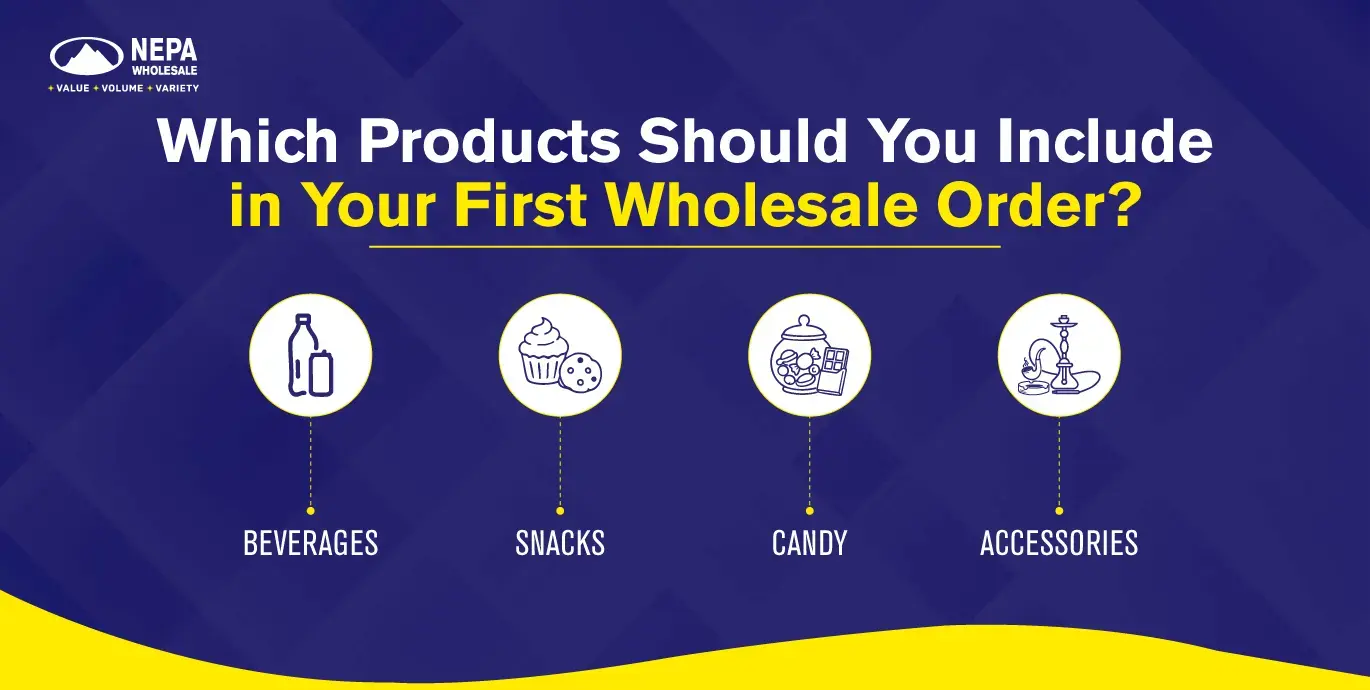
Comparing wholesale products for retail stores against these criteria helps narrow the assortment before deciding quantities. Identify the exact variant, retail selling unit, and intended selling price for each shortlisted product.
The following examples illustrate a product shortlist. Confirm available specifications and purchase formats before ordering.
Category | Product | Shopper need | Variant | Retail pack size | Reason for selection |
Beverages | Bottled water | A drink for immediate use | Still water in a selected bottle size | One bottle labeled for individual sale | Meet an established everyday need |
Snacks | Packaged chips | A portable snack | One familiar flavor | One individual-sale bag | Establish a basic snack option |
Candy | Packaged candy | A small checkout purchase | One selected flavor | One retail pack | Test checkout demand |
Accessories | Charging cable | A replacement accessory | Specified connector and rating | One packaged cable | Serve a defined compatibility need |
Check packaging, display dimensions, storage requirements, and relevant product dates. For accessories, verify compatibility with the devices or products your customers use.
If samples are available, use them to resolve questions about size, quality, or presentation. Confirm the supplier’s arrangements rather than assuming every product can be sampled.
How Can You Estimate Demand Without Your Own Sales History?
You can estimate demand without your own sales history by using customer enquiries, local shopping patterns, seasonality and relevant supplier information. Existing retailers introducing a new product can also use sales of comparable products already stocked.
Record the assumptions behind each estimate. For example, a proposed bottled drink can be compared with similar drinks at the same price point, while a new store may need to rely more heavily on customer research.
Use the strongest available evidence:
- Sales of comparable products in your store, where available.
- Specific customer requests and enquiries.
- Local shopping patterns and seasonal needs.
- Supplier information relevant to your store format.
A supplier’s best-seller label does not establish demand in an individual store. Set a defined test period, such as the first 14 trading days, and compare actual sales with the starting estimate.
How Much Should You Budget for Your First Wholesale Order?
You should budget for your first wholesale order after reserving cash for rent, other operating expenses, and replenishment. The amount available for the order must cover merchandise, freight, and applicable purchasing fees.
Illustrative example: A retailer has $3,000 available and divides it between operating expenses, the first order and future stock purchases.
Budget component | Illustrative amount | Purpose |
Rent reserve | $1,000 | Protect the upcoming rent payment |
Other operating-expense reserve | $500 | Cover planned payroll, utilities, and other expenses |
Merchandise | $1,050 | Purchase the selected products |
Estimated freight | $120 | Cover inbound shipping |
Applicable purchasing fees | $30 | Cover additional order charges |
Replenishment reserve | $300 | Retain cash for follow-up stock |
Total allocated cash | $3,000 | Covers all allocations above |
In this example, $1,500 is reserved for operating expenses, $1,200 funds the first wholesale order, and $300 remains for replenishment.
These amounts illustrate a budgeting method rather than a recommended starting budget. Use your actual expenses, supplier quotation, and payment dates to determine how much your store can commit.
Record when each payment becomes due. An order can fit the total budget while creating a cash shortage if several payments fall before the store generates enough sales.
What Should You Verify About a Wholesale Supplier?
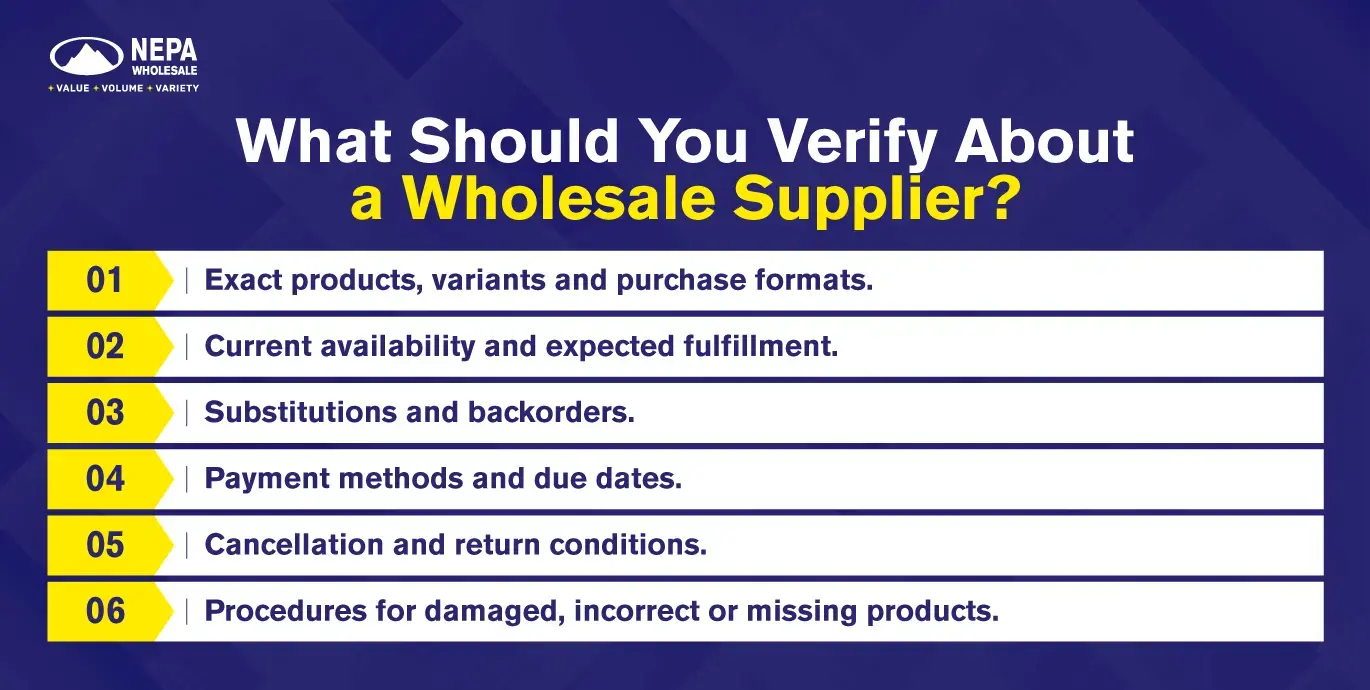
You should verify a wholesale supplier’s business identity, contact details, product specifications, stock availability, payment terms, delivery arrangements, and return policies before placing your first order.
Confirm who will issue the invoice, receive payment, and handle delivery problems. Obtain written details covering:
- Exact products, variants, and purchase formats.
- Current availability and expected fulfillment.
- Substitutions and backorders.
- Payment methods and due dates.
- Cancellation and return conditions.
- Procedures for damaged, incorrect, or missing products.
Business registration supports an identity check, but it does not establish reliable performance. Keep written answers and verify payment instructions through an established business contact, particularly if account details change.
What Account Details and Documents Should You Prepare?
You should prepare your business details, contact information, business address, resale certificate, official photo ID, and any requested FEIN information before applying for a wholesale account.
The account registration form requests the following information and documents.
Information or document | What to prepare |
Business details | Your name, business name, and business type |
Contact information | Business email and telephone number; WhatsApp number, where provided |
Business address | Street address, city, state, and ZIP code |
Federal identification | FEIN/EIN information requested by the form |
Resale documentation | Your resale certificate |
Personal identification | Official photo ID |
Use consistent business information when you apply for a wholesale account. Prepare billing and delivery details separately for the order, particularly if either differs from your business address.
An EIN does not replace resale documentation. Confirm any additional documents applicable to your business or selected products before ordering.
How Do Minimum Orders, Case Packs, and Purchase Increments Differ?
Minimum orders determine the smallest purchase you can make, case packs specify the units inside each case, and purchase increments determine the permitted ordering multiples. These requirements affect both purchasing quantities and the total cash commitment.
The following examples describe hypothetical supplier rules.
Term | Meaning | Illustrative example |
Minimum order value | Minimum monetary value required across an order | A supplier requires $300 across eligible products |
Minimum quantity per SKU | Smallest permitted quantity of one product variant | A product requires at least two cases |
Case pack | Number of units contained in one case | Each case contains 24 sellable bottles |
Purchase increment | Quantity by which an order can increase | Additional quantities must be ordered in one-case increments |
For example, a product with 24 units per case, a two-case minimum, and one-case ordering increments starts at 48 units. Larger permitted quantities would be 72, 96, or 120 units.
NEPA Wholesale’s purchasing information states that there is no minimum order amount. This does not establish whether every product is available individually, in split cases, or only in full cases.
Confirm the case size, minimum product quantity, and ordering increments for each selected item. Also establish whether any purchasing requirements differ between opening orders and reorders.
How Many Units of Each Product Should You Order?
You should order quantities that fit your estimated sales over a defined period, available cash, storage capacity, product life and replenishment lead time. Convert cases into sellable units before deciding whether the quantity is suitable.
Existing retailers should also account for usable stock already available and confirmed incoming inventory.
A basic starting calculation is:
Estimated sales during the planning period = estimated daily sales × trading days.
Consider a hypothetical product with no existing stock:
Planning input | Example |
Estimated daily sales | 6 units |
Initial planning period | 14 trading days |
Estimated sales during the period | 84 units |
Sellable units per case | 24 |
Four-case purchase | 96 units |
Quantity above the initial sales estimate | 12 units |
Four cases may be suitable if the store can accommodate 96 units, the products remain suitable for sale, and the purchase fits the budget. The additional 12 units represent an inventory commitment that still needs justification.
If the store can hold only 72 units, reconsider the format, quantity, or replenishment arrangement. A case increment should not automatically push the purchase beyond the store’s capacity.
How Do You Calculate the Total Cost and Planned Retail Margin?
You calculate total purchase cost by subtracting agreed discounts from the merchandise subtotal and adding attributable inbound costs. Divide that total by the sellable units purchased to estimate landed cost per unit, then compare it with the intended retail price.
The following example calculates the cost of one product line using the four-case quantity above. It is separate from the overall budget example.
Calculation | Illustrative amount |
Four cases at $24 per case | $96.00 |
Hypothetical agreed discount | −$9.60 |
Net merchandise cost | $86.40 |
Allocated inbound freight | $14.40 |
Estimated landed cost for 96 units | $100.80 |
Estimated landed cost per unit | $1.05 |
Intended retail price per unit | $1.75 |
Planned gross profit per unit | $0.70 |
These figures do not represent a current quotation or discount offer. Include other attributable charges where applicable.
Gross margin = (retail price − unit cost) ÷ retail price × 100.
Markup = (retail price − unit cost) ÷ unit cost × 100.
In this example, gross margin is 40%, while markup is approximately 66.7%. The calculation assumes the stated retail price is sales revenue excluding any sales tax collected separately.
Gross profit must still contribute toward operating expenses and inventory losses. It is not the store’s final profit.
For mixed-product shipments, document how freight is allocated. Weight, volume, or merchandise value may provide a more appropriate basis than equal amounts per unit. Replace estimated costs with actual costs after delivery.
Which Payment and Return Terms Need Written Confirmation?
You should obtain written confirmation of payment methods, due dates, deposits, fees, cancellation arrangements, return eligibility and damage-reporting requirements before committing to the order.
For orders placed with NEPA Wholesale, published payment arrangements specify wire transfer or Zelle for the first three purchases, with credit card or ACH available afterward. Confirm the method applicable to the specific order before arranging payment.
Credit terms, including Net 30, require agreement and should not be assumed for an opening purchase.
The published return periods include:
Product group | Published return period |
Most general items | Within 15 days of purchase |
Electronics | Within seven days of purchase |
Cigarettes | Within seven days of receipt |
Eligibility conditions apply, including packaging, product condition, and proof of purchase. Cigarettes must be unopened, and clearance or final-sale goods are excluded.
Ordinary returns and damaged-delivery claims have different requirements. Record both the return conditions and the damage-reporting deadline before ordering.
How Should You Schedule Shipping, Delivery, or Pickup?
You should schedule shipping, delivery, or pickup by working backward from the date the products must be ready for sale. Allow separately for processing, dispatch, transit, receiving, and shelf preparation.
NEPA Wholesale’s published shipping and delivery information describes these arrangements:
Order or destination | Published information |
Smaller shipments | UPS shipping |
Larger shipments | Freight-carrier pallet delivery |
Florida customers | Typical arrival the next day |
Customers outside Florida | Published arrival timeframe of 2–3 business days |
Confirm the estimate for the actual order before scheduling an opening or promotion. Published timeframes do not establish a guaranteed arrival date for every shipment.
Product-specific destination restrictions also apply. Verify that each selected item can be shipped to the delivery address.
For freight deliveries, establish:
- Whether the destination can receive the proposed shipment.
- Delivery access and appointment requirements.
- Whether unloading equipment or additional services are needed.
- Freight charges and any additional agreed fees.
- Who will receive and inspect the goods.
For pickup, confirm the collection location, readiness time, vehicle capacity, and loading arrangements separately.
What Should Your Purchase Order or Order Worksheet Include?
Your purchase order or order worksheet should include buyer and supplier details, exact products, purchasing quantities, prices, fulfillment arrangements and agreed commercial terms. Use a separate line for each distinct product variant.
Worksheet field | What to enter |
Buyer and supplier | Business names, contact details and account reference |
Reference and date | Order reference and preparation date |
Product identification | Supplier SKU, product name and exact variant |
Retail selling unit | Bottle, bag, individual item or retail multipack |
Purchase configuration | Cases ordered and sellable units per case |
Total quantity | Cases ordered × sellable units per case |
Price basis | Price per case or individual unit |
Line total | Cases × price per case, or units × price per unit |
Adjustments | Agreed discounts, freight and applicable charges |
Fulfillment details | Delivery address or pickup location and agreed timing |
Commercial terms | Payment dates, substitutions, backorders and reporting requirements |
Keep product codes distinct. A supplier SKU identifies the item in the supplier’s system, while your internal retail SKU identifies it in your inventory records.
Record quantities for the correct selling unit. A case containing 24 bottles represents one purchasing case and, where individually sellable, 24 retail units.
The purchasing documents serve different purposes:
- Quote request: Asks for prices and terms.
- Purchase order: Communicates the proposed purchase.
- Supplier confirmation: Records accepted details.
- Invoice: Records the supplier’s charges.
A separate formal purchase order is not required in every ordering channel. Preserve the equivalent order record, supplier confirmation, and agreed terms so you can compare them with the delivery and invoice.
How Do You Submit and Confirm Your First Wholesale Order?
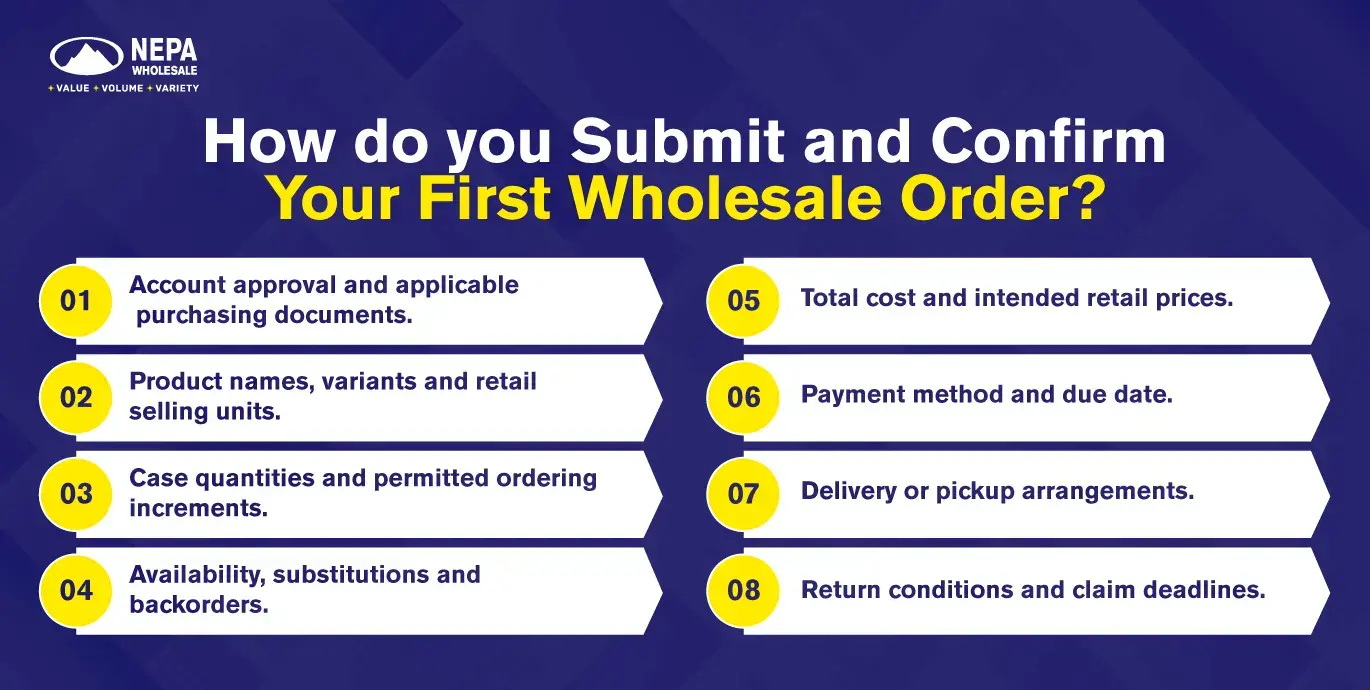
You submit your first wholesale order through the agreed ordering channel after checking products, quantities, costs, payment eligibility, and fulfillment arrangements. Confirm the order by comparing the supplier’s acknowledgment with your worksheet.
Before submission, verify:
- Account approval and applicable purchasing documents.
- Product names, variants, and retail selling units.
- Case quantities and permitted ordering increments.
- Availability, substitutions, and backorders.
- Total cost and intended retail prices.
- Payment method and due date.
- Delivery or pickup arrangements.
- Return conditions and claim deadlines.
Save the acknowledgment and compare accepted products, quantities, prices, and fulfillment details with the worksheet.
Resolve discrepancies before proceeding with any remaining payment or delivery arrangements. A submitted order or quote request alone does not establish that every requested product has been accepted for supply.
What Should Be Ready Before Your First Wholesale Delivery Arrives?
Before your first wholesale delivery arrives, you should have a receiving person, clear delivery space, suitable storage, and the records needed to inspect the shipment. Prepare the inventory system so purchasing cases can be converted into the correct retail selling units.
Have these ready:
- The confirmed order and expected delivery details.
- Supplier contact information.
- Space to count products without blocking customers or exits.
- Storage suitable for the goods.
- A camera and discrepancy log.
- Inventory records with the correct products, variants, and selling units.
For example, four cases containing 24 individually sellable units each represent 96 retail units, provided that configuration is confirmed.
For a new store, coordinate deliveries with fixture installation, storage readiness and opening preparations. Receiving products before suitable storage is available can create unnecessary handling and damage.
How Do You Check a Delivery Against Your Order?
You check a delivery against your order by comparing physical products and quantities with the supplier’s confirmation, packing information, and invoice. Verify variants, condition, and relevant product dates before adding accepted goods to available inventory.
Count cases first, then verify their contents according to the product and packing arrangement. Record accepted stock separately from damaged goods and outstanding quantities.
Receiving record | Illustrative quantity |
Units confirmed on the order | 96 |
Units physically delivered | 72 |
Delivered units set aside because of damage | 4 |
Units accepted as available stock | 68 |
Units not yet delivered | 24 |
This example assumes the four damaged units are unsuitable for sale. Keep them separate from available stock.
Determine whether the outstanding 24 units are an agreed backorder or an unexplained shortage. Compare the invoice with the confirmed order and receiving record, then ask the supplier to resolve any discrepancies or required adjustments.
What If Products Arrive Damaged, Incorrect, or Missing?
If products arrive damaged, incorrect, or missing, record the discrepancy immediately, retain relevant packaging and order records, and report the issue through the supplier’s required process.
For each discrepancy, identify:
- The affected product and variant.
- The quantity ordered and quantity received.
- The nature of the damage or error.
- Photographs and relevant packaging information.
- The order reference and delivery date.
Under NEPA’s return and damage-reporting policy, damaged or defective products must be reported to the sales representative within 24 hours of receipt. Supporting information includes photographs and delivery notes identifying the products and quantities.
Report incorrect or missing products promptly and confirm the applicable procedure. The ordinary-return period should not be treated as the reporting deadline for every delivery problem.
Delivery drivers are not authorized to accept returns under this policy. Obtain instructions through the sales representative before sending goods back. Reporting an issue does not guarantee a particular refund, replacement, or credit.
What Should You Measure Before Placing a Second Order?
Before placing a second order, you should measure accepted quantities, units sold, remaining stock, stockouts, product problems, actual delivered costs, and supplier performance. Use a stated measurement period so results can be compared with the original plan.
Measure | What it helps establish |
Accepted units received | Stock actually available for sale |
Units sold during the test period | Initial demand for the product and variant |
Remaining usable stock | Whether the quantity matches the observed sales pace |
Stockout periods | When recorded sales may understate demand |
Damaged, defective or incorrect units | Product or fulfillment problems |
Actual delivered cost | Whether the planned margin remains realistic |
Promised versus actual fulfillment | Timing to consider for the next purchase |
In a separate example, selling 48 of 96 accepted units during a 14-trading-day test produces a 50% sell-through rate, assuming no other stock movements.
Opening-week traffic, promotions, and stockouts can affect the result. Use early sales to refine the next purchase without treating them as a dependable long-term forecast.
As sales records develop, combine the observed sales pace with replenishment lead time to set reorder points for retail products. Keep the worksheet, supplier confirmation, and receiving record together so the second order begins with evidence from the first.

How to Prepare Your First Wholesale Order for a Retail Store